Carousel Studio
Design six-slide carousels with a cover that earns the swipe, then plan, approve and publish them
One payment. Complete ZIP download after payment verification. Use your own tools. Pay with UPI, Indian cards, netbanking or an international card.
What you'll make
Six connected slides with a strong cover, relevant imagery and one practical next action, plus the caption, alt text and source ledger, packaged for approval and publishing. The design guide teaches the visual decisions; the workflow guide turns the finished carousel into a dated, approved handoff.
What's inside the download?
- 13-page design guide and 16-page workflow guide (illustrated PDFs)
- 28 prompts: 12 for design, 16 for planning and approval
- Master brief, reference, slide, approval and review worksheets
- Six-slide editorial carousel example with caption, alt text and sources
- Daily folder planner, result ranking and an official Instagram publishing starter
The PDF is paired with an editable Markdown guide, a prompt library, blank and filled CSV worksheets, source references and a starter README.
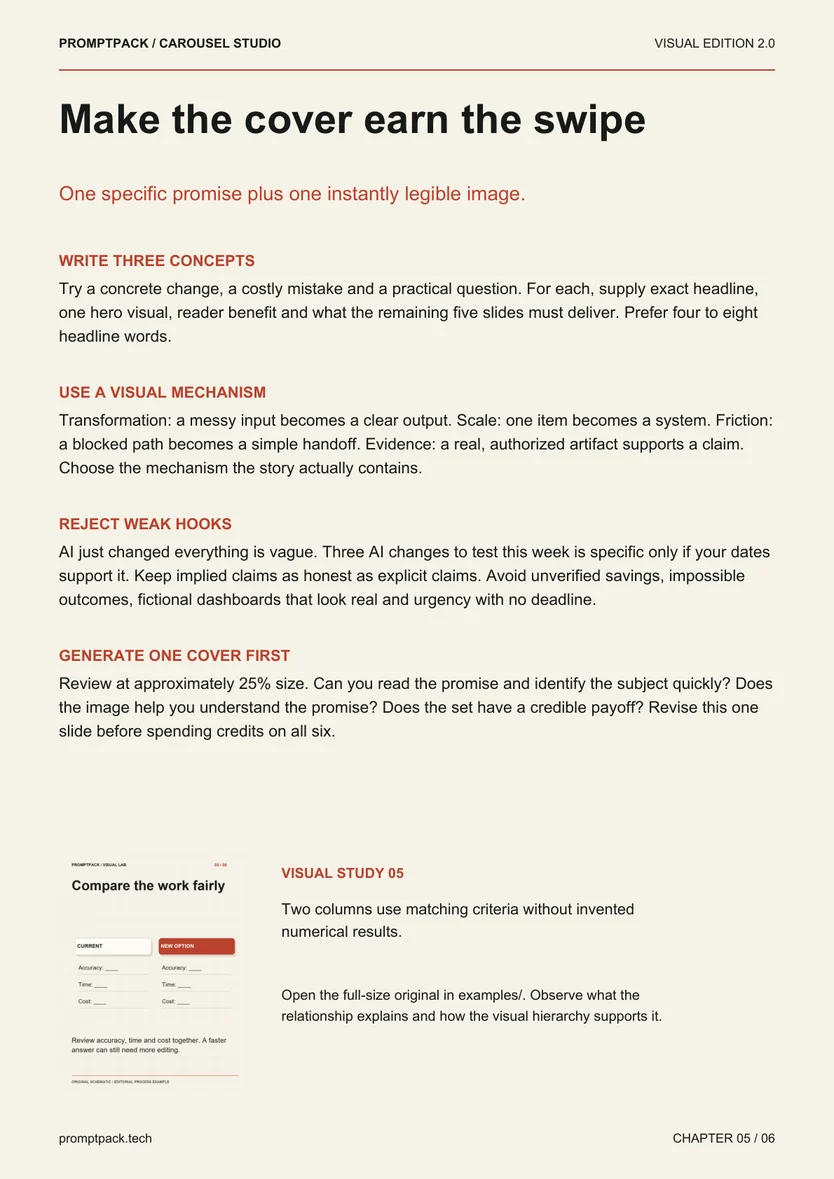
Look inside the actual edition
A workshop page from the guide, followed by an original example included in the practical files.
- Start here: Read GUIDE.pdf, then fill MASTER-BRIEF.md and collect verified source notes.
- Use the kit: Work through the guide, editable prompts and worksheets with your own project details.
- See the example: Inspect the included worked example below, then adapt the process to your project.
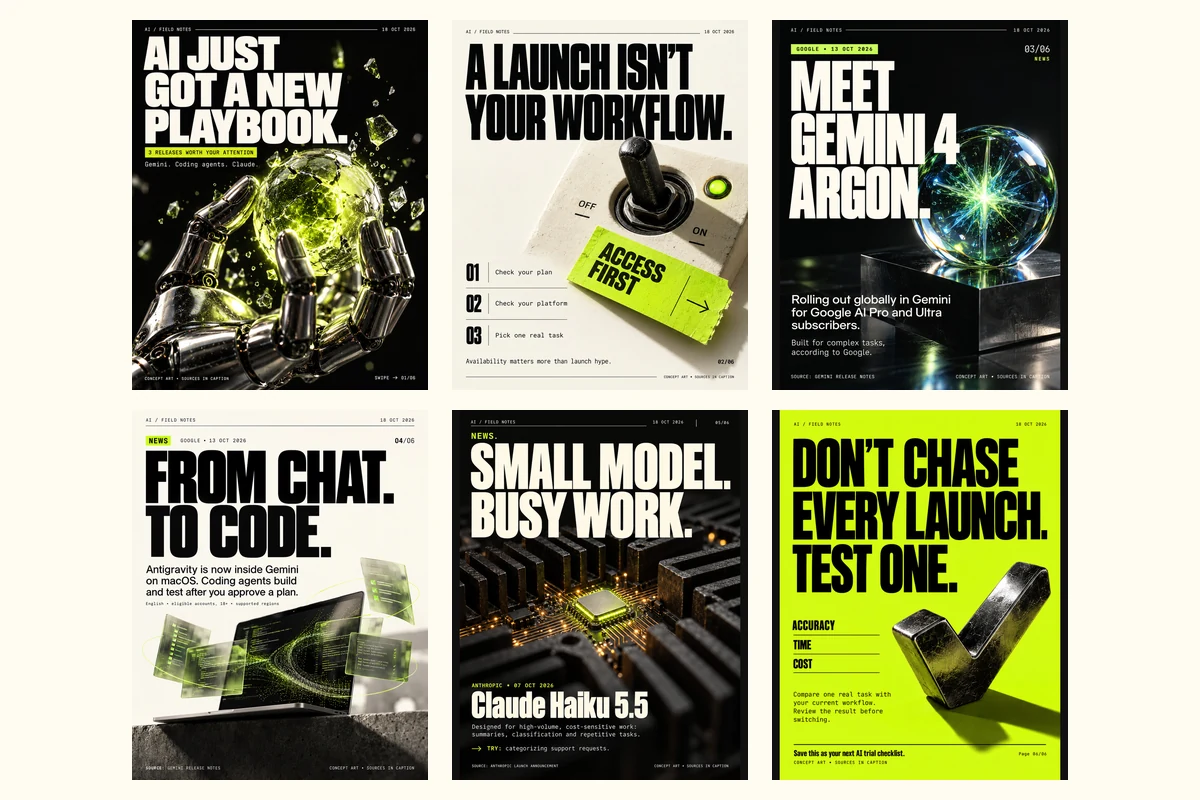
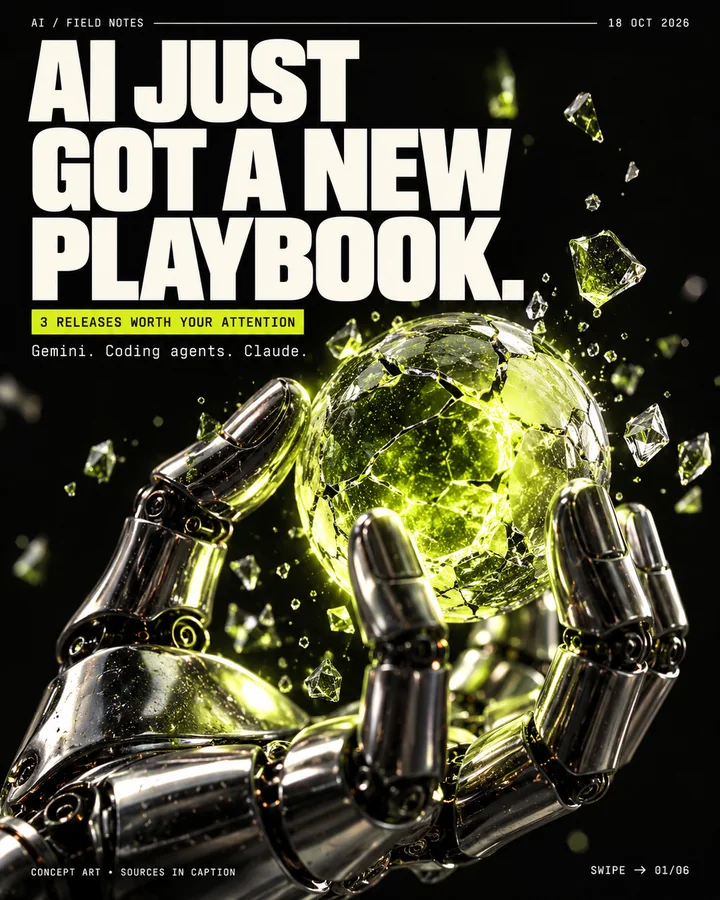
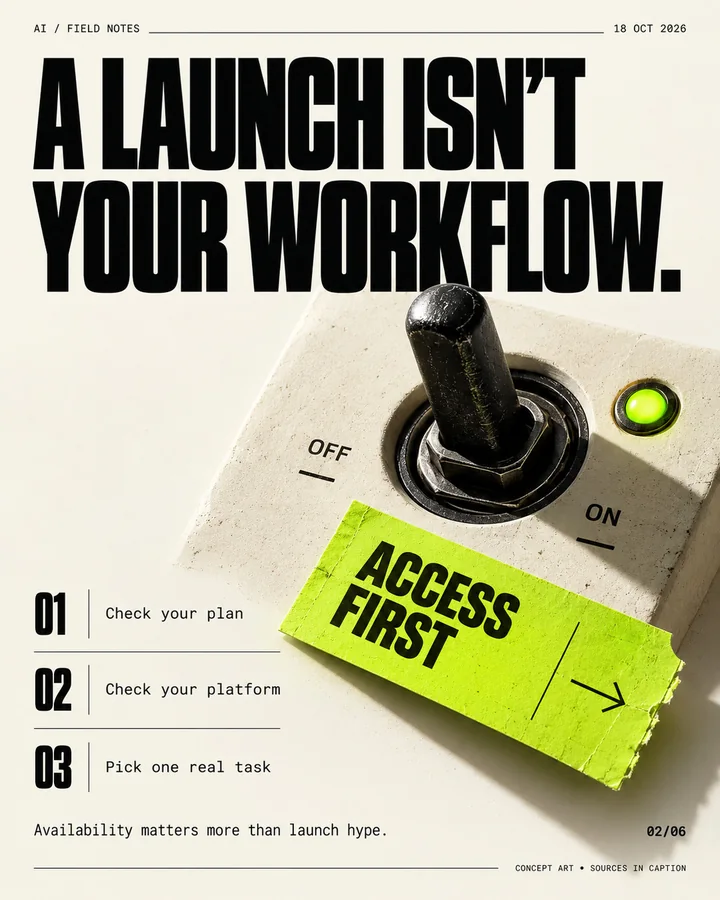
Swipe the included example carousel
Six generated editorial slides from the pack. Their prompts, caption, alt text and dated sources are included so you can see how each decision was made. Concept art, not a performance result.

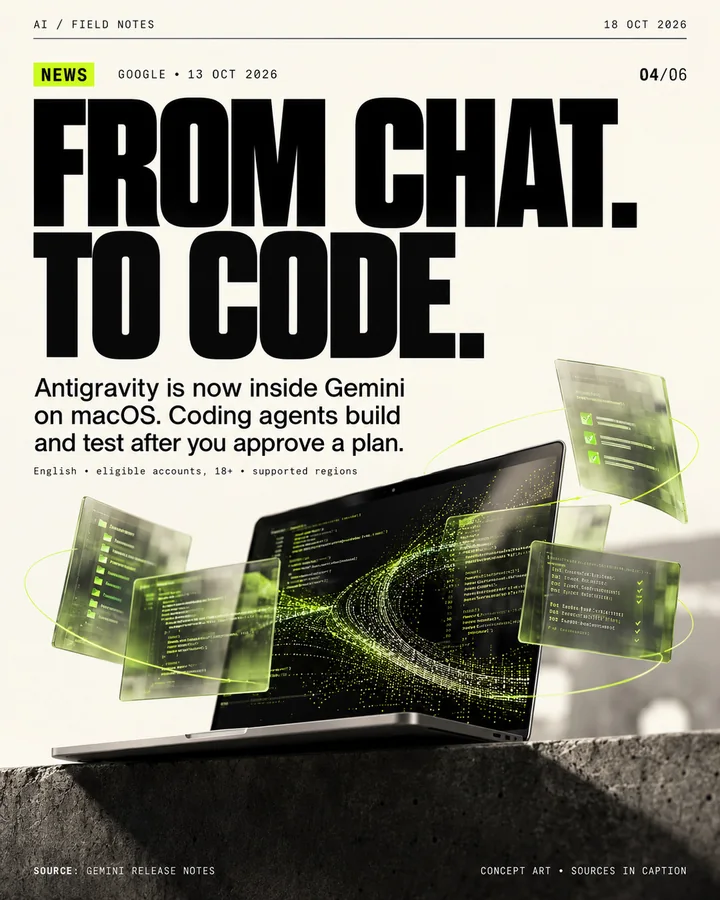
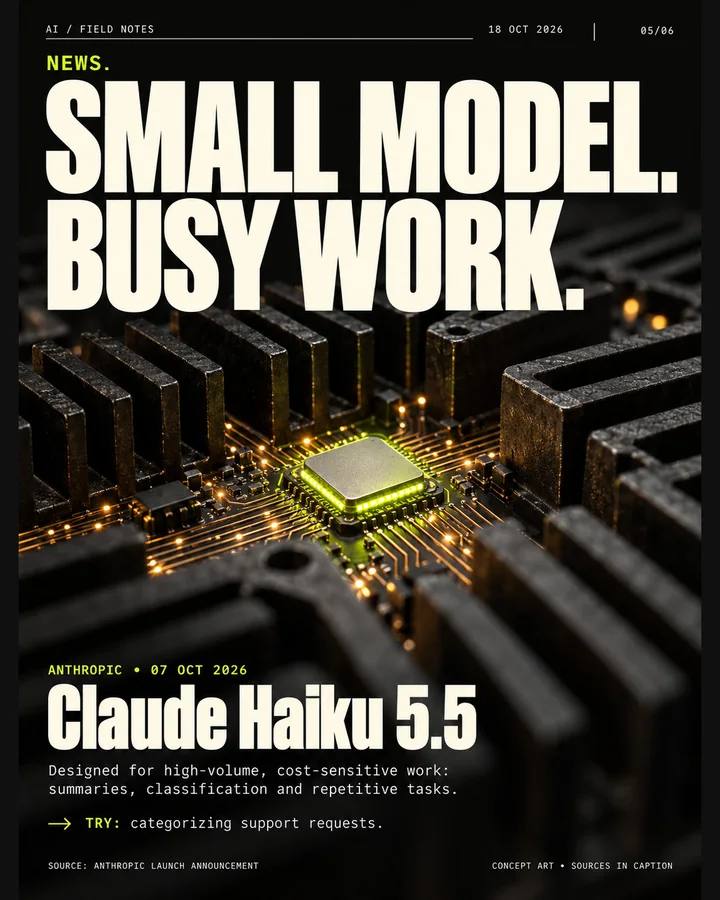

Six practical workshop steps
- Choose one reader and one job
- Lock a system, not six layouts
- Make the cover earn the swipe
- Review the output, not the prompt
- Separate draft, approval and publication state
- Build the complete handoff package
Your first session
- Read GUIDE.pdf, then fill MASTER-BRIEF.md and collect verified source notes.
- Study references with REFERENCE-WORKSHEET.csv, then run the staged prompts in PROMPTS.md to lock the visual system and storyboard six slides.
- Generate one cover in your image tool, check it at phone size, then generate the interiors and review them with QUALITY-CHECKLIST.md.
- Open workflow/START-HERE.md: give the carousel a post ID and owner, then run the planning prompts to build the approved handoff package.
Requirements and scope
A text AI assistant and an image generator (ideally one that accepts reference images), or a design editor for art-plus-typesetting. Node.js and Python for the optional local workflow tools. Image tools, accounts, credits and publishing access are separate.
Image generation needs your own tool, account and credits. The optional starter renderer only checks text fit; it does not generate illustrations. The workflow tools run locally: the Instagram publishing starter is mock-tested and needs your own Meta app, review and credentials. No hosted scheduler or automatic publishing is included, and the examples show an editorial process, not guaranteed reach or engagement.
Public tools behind the workflow
These tools are available from their original authors. This independent guide adds instruction and original exercises; tool access, model weights and service accounts are separate.
- python-pillow/Pillow ↗MIT-CMU (stated in upstream LICENSE; GitHub detected NOASSERTION) · source revision 0a87417a4288License at reviewed revision
- microsoft/playwright ↗Apache-2.0 · source revision 57b41cc220feLicense at reviewed revision
- Jakeschincariol/instagram-agent-skill ↗MIT · source revision d03c56bb598bLicense at reviewed revision
- postoncehq/instagram-mcp ↗MIT · source revision 6f7ff186e32cLicense at reviewed revision
AI Carousel Prompt Template for Six Connected Slides → — free prompt, worked exercise and review checklist.
Try an editable prompt
Replace the bracketed fields with your own project details. This sample is part of the included prompt library.
Create a reusable style block for [APPROVED ANGLE + BRAND + REFERENCES]. Specify canvas and safe zone, palette roles with hex values, headline/body/metadata hierarchy, image medium, material, light direction, texture, connectors, source/page-marker positions and avoid list. State what remains consistent and what varies. Offer one recommended direction, then repeat its style block verbatim for use in every slide prompt. Do not treat one creator's profile as one universal visual style.
Guides to help you choose
Before you buy
What is Carousel Studio?
Carousel Studio is a digital toolkit with a 29-page illustrated PDF guide and 28 editable prompts. Six connected slides with a strong cover, relevant imagery and one practical next action, plus the caption, alt text and source ledger, packaged for approval and publishing. The design guide teaches the visual decisions; the workflow guide turns the finished carousel into a dated, approved handoff.
Who is Carousel Studio for?
Creators, marketers and small teams who publish educational or news carousels and want a repeatable route from brief to post.
What do I need to use Carousel Studio?
A text AI assistant and an image generator (ideally one that accepts reference images), or a design editor for art-plus-typesetting. Node.js and Python for the optional local workflow tools. Image tools, accounts, credits and publishing access are separate. Tool subscriptions, AI credits and service accounts are not included.
What does Carousel Studio not include?
Image generation needs your own tool, account and credits. The optional starter renderer only checks text fit; it does not generate illustrations. The workflow tools run locally: the Instagram publishing starter is mock-tested and needs your own Meta app, review and credentials. No hosted scheduler or automatic publishing is included, and the examples show an editorial process, not guaranteed reach or engagement.
Can I buy Carousel Studio now?
Yes. The complete Carousel Studio download costs ₹899 (UPI, Indian cards, netbanking or wallets) or US$15 (international cards), paid once through Razorpay. Download the ZIP after payment verification. You can try the free sample before buying.
Which public tools does the workflow reference?
python-pillow/Pillow (MIT-CMU (stated in upstream LICENSE; GitHub detected NOASSERTION)), microsoft/playwright (Apache-2.0), Jakeschincariol/instagram-agent-skill (MIT), postoncehq/instagram-mcp (MIT). Check the included-file list above for this pack's engine or starter code. Third-party runtimes, models, service access and accounts are separate. PromptPack is not affiliated with these tool authors.
More tools for your next project.
Explore these other PromptPack digital products. Each pack is sold separately.